


How to Stay Connected While Traveling Abroad
You've just landed in Tokyo, Rome, or New York. You grab your bag from the carousel, step out of the terminal — and immediately need Google Maps, a Grab or Uber, and your hotel's WhatsApp number. That's modern travel. And without reliable mobile data from the moment you land, it all falls apart.
Staying connected while travelling overseas is no longer a 'nice to have' — it's as essential as your passport and travel insurance. But with so many options available (eSIMs, local SIM cards, carrier roaming, pocket Wi-Fi devices), choosing the right solution can feel overwhelming.
This guide cuts through the noise. We'll explain every option, compare them honestly, and help you work out the best way to stay connected overseas as an Australian traveller — whether you're heading to Bali, Japan, Europe, the USA, or beyond.
|
⚡ The short answer: For most Australians travelling overseas, a travel eSIM is the fastest, most affordable, and most convenient option. Buy it before you fly, activate it the moment you land, and never worry about roaming bills again. Browse eSIM4u's destination plans — covering over 100 countries worldwide. |
1. Why Mobile Data Is Non-Negotiable When Travelling
It's easy to assume you can 'get by' on hotel Wi-Fi when overseas. In reality, modern travel depends on an active data connection in countless situations that can't wait for a café or lobby:
-
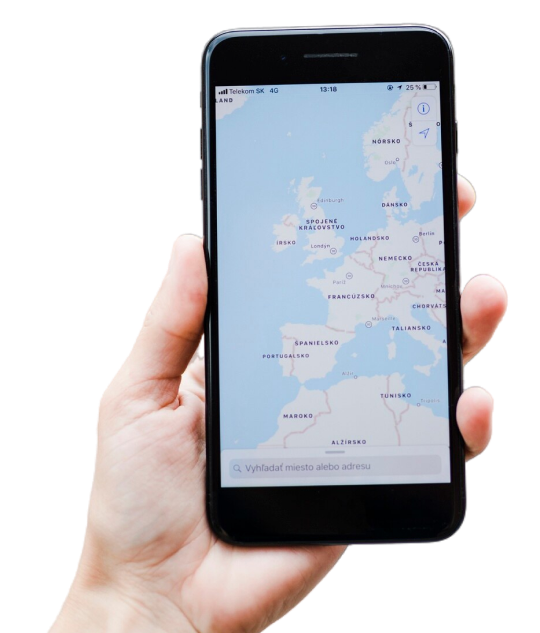
🧭 Navigation: Google Maps, Apple Maps, and city transport apps require live data for real-time routing, traffic updates, and public transport timetables.
-
🚕 Ride-hailing: Grab, GoJek, Uber, DiDi, and Lyft all need an active data connection to book rides. Without data, you're at the mercy of unmetered taxis.
-
💬 Communication: WhatsApp, iMessage, and FaceTime are how most travellers stay in touch with family, hotels, and tour operators. All require data.
-
💳 Banking & security: Two-factor authentication codes, travel money apps, and currency converters all require a live connection.
-
📸 Sharing in real-time: Whether it's posting from the Eiffel Tower or live-streaming a Bali sunrise, social sharing requires data — and good data at that.
-
✈️ Flight & booking changes: Delays, cancellations, and last-minute accommodation changes require instant online access to airlines and booking platforms.
-
🏥 Emergencies: Being able to call an ambulance, locate a hospital on Maps, or contact your travel insurer is a genuine safety need.
Hotel Wi-Fi is inconsistent and often frustratingly slow — even in good hotels. A dedicated mobile data plan gives you independence, reliability, and peace of mind no matter where you are.
2. Your Options for Getting Data Overseas
There are five main ways to get mobile data when travelling internationally. Here's an honest overview of each:
Option 1: Travel eSIM (Recommended) ⭐
An eSIM (embedded SIM) is a digital SIM card built into your smartphone. Instead of inserting a physical SIM, you scan a QR code and your phone connects to a local network in your destination country — all without leaving home.
eSIM4u's travel eSIM plans cover Japan, Europe & UK, South East Asia, USA, China, Hong Kong & Macau, South Korea, India, Middle East, Canada, New Zealand, and more — all with instant delivery and prepaid pricing.
|
✅ eSIM Pros
|
|
❌ eSIM Cons
|
Option 2: Australian Carrier International Roaming
Telstra, Optus, and Vodafone all offer international roaming add-ons — a daily fee that lets you use your existing plan's calls, SMS, and data while overseas. Convenient? Yes. Cheap? No.
|
✅ Roaming Pros / ❌ Cons Pros: Zero setup — just enable roaming and go. Keeps your existing number. No new account needed. Cons: Telstra's International Day Pass costs ~$15 AUD/day — that's $105 AUD for 7 days. Data amounts are limited. Forgetting to turn it off after returning home can result in unwanted charges. |
Option 3: Local SIM Card at Your Destination
Buying a SIM card from a local carrier at your destination can offer excellent value — but it comes with friction, especially in countries like Indonesia, China, and India that require identity verification or device registration.
|
✅ Local SIM Pros / ❌ Cons Pros: Often very cheap. Good local network coverage. Widely available. Cons: Must be purchased after arrival (often at a crowded airport kiosk). Requires ID and sometimes device registration. You lose your Australian number. SIM can be lost or damaged. Fiddly if you have a nano-SIM in a dual-SIM tray. |
Option 4: Pocket Wi-Fi / Travel Router
A portable Wi-Fi device connects to a local network and creates a Wi-Fi hotspot you can share with multiple devices. Popular with families and groups.
|
✅ Pocket Wi-Fi Pros / ❌ Cons Pros: Multiple devices on one plan. Good for families and groups travelling together. Cons: Must be collected from a store or delivered before departure. Needs to be charged and carried separately. If you lose it, everyone loses data. Rental fees add up over longer trips. |
Option 5: Free Public Wi-Fi Only
Relying solely on café, hotel, and airport Wi-Fi is not a strategy — it's a gamble. Security risks aside, public Wi-Fi is unpredictable, slow, and unavailable exactly when you need it most.
|
⚠️ A word on public Wi-Fi security Public Wi-Fi is a prime target for hackers. Never access internet banking, personal email, or sensitive accounts on unsecured networks. A personal eSIM data plan keeps your browsing private, encrypted, and independent from public networks. |
3. Side-by-Side Comparison: eSIM vs Every Alternative
|
Travel eSIM ✅ |
AU Roaming |
Local SIM |
Pocket Wi-Fi |
|
|---|---|---|---|---|
|
Ready before flying |
✅ Yes |
✅ Auto |
❌ Airport only |
⚠️ Pre-order |
|
Cost (7 nights) |
✅ Low — fixed |
❌ $105+ AUD |
✅ Low |
⚠️ Medium |
|
Keep AU number |
✅ Dual SIM |
✅ Yes |
❌ No |
❌ No |
|
Surprise bills |
✅ Never |
⚠️ Possible |
✅ Never |
✅ Never |
|
Multi-country |
✅ Regional plans |
✅ Yes |
❌ One country |
⚠️ Limited |
|
Easy setup |
✅ QR code |
✅ Automatic |
⚠️ In-store |
⚠️ Pickup req. |
|
Security |
✅ Private data |
✅ Private |
✅ Private |
⚠️ Shared |
|
Extra device needed |
✅ No |
✅ No |
✅ No |
❌ Yes |
|
Aussie support |
✅ eSIM4u |
✅ Your carrier |
❌ No |
⚠️ Depends |
For more detail: eSIM vs. Physical SIM for International Travel — Which Is Better?
4. How to Set Up a Travel eSIM (Step by Step)
Getting set up with an eSIM4u travel eSIM takes less than 10 minutes. Here's how:
-
Step 1 — Check eSIM compatibility: Most iPhones from XS onwards and Android flagships from 2019+ support eSIM. Go to Settings > About Phone (or General > About on iPhone) to confirm. Or read our iPhone eSIM setup guide / Android eSIM setup guide.
-
Step 2 — Choose your destination plan: Browse our full eSIM catalogue and select a country-specific or regional plan that matches your trip length and data needs.
-
Step 3 — Purchase securely online: Complete checkout on esim4u.com.au. Your QR code arrives by email within minutes.
-
Step 4 — Install the eSIM at home: While on Wi-Fi, go to your phone's Mobile Data settings, tap 'Add eSIM', and scan the QR code. The eSIM profile is installed but not yet active.
-
Step 5 — Activate when you land: When your plane touches down, enable the eSIM line and turn on Data Roaming. You'll connect to a local network within seconds — usually before you've even reached the gate.
-
Step 6 — Set data preference: In Settings, set the eSIM as your default data line. Keep your home SIM active for calls and SMS on a Dual SIM setup.
|
📱 iPhone Quick Setup Settings → Mobile Data → Add eSIM → Use QR Code → Scan → Done. Full walkthrough: eSIM Installation Guide for iPhone | eSIM Installation Guide for Android |
5. Connectivity Tips by Destination
🇯🇵 Japan
Japan has world-class 4G and 5G coverage across urban areas, bullet train lines, and tourist regions. Local SIMs historically required a Japanese address, making them impractical for tourists — an eSIM is the clean solution. Our Japan eSIM plans give you fast, reliable data across Tokyo, Kyoto, Osaka, and beyond, with no registration hassles.
🌏 South East Asia (Bali, Thailand, Vietnam & More)
Coverage across South East Asia varies by country, but most tourist hubs have strong 4G. Indonesia (including Bali) requires IMEI registration for local SIMs — a process that can fail for foreign-bought devices. An eSIM bypasses this entirely. Our South East Asia eSIM plans cover Indonesia, Thailand, Vietnam, Singapore, Malaysia, and the Philippines under one plan. Also read: Best eSIM for Bali.
🇨🇳 China (including Hong Kong & Macau)
China's 'Great Firewall' blocks Google, WhatsApp, Instagram, Facebook, and most Western apps. Our China eSIM plans use a Hong Kong IP address, so your everyday apps keep working throughout mainland China, Hong Kong, and Macau without needing a separate VPN. Also read: Travelling to China Soon?.
🇺🇸 USA
The USA has excellent 4G LTE coverage from coast to coast via major carriers. Australian carrier roaming is available but expensive. Our USA eSIM plans offer far better value — activate before your flight and arrive connected from the moment you land at LAX, JFK, or wherever your adventure begins.
🇬🇧 Europe & UK
Europe has great coverage across all major countries. If you're visiting multiple countries, a regional eSIM is far more convenient than buying a new local SIM in France, Italy, Germany, and Spain. Our Europe & UK eSIM plans cover 30+ countries under one plan — perfect for a Euro trip.
🇰🇷 South Korea
South Korea has some of the world's fastest mobile networks. Our South Korea eSIM plans deliver seamless 4G/5G connectivity across Seoul, Busan, and Jeju Island.
🇮🇳 India
India's mobile network has expanded dramatically, with strong 4G coverage across major cities and tourist regions. Our India eSIM plans keep you connected without the headache of local SIM registration requirements for foreign visitors.
🇳🇿 New Zealand
New Zealand has solid 4G coverage in cities and tourist areas, though remote stretches of the South Island can see reduced signal. Our New Zealand eSIM plans are perfect for road trips — read our post My Epic New Zealand Road Trip for connectivity tips on the road.
6. How Much Data Do You Need? A Practical Guide
One of the most common questions we get: 'How many GB should I buy?' Here's a practical breakdown:
|
Traveller Type |
Data per Week |
Typical Activities |
|---|---|---|
|
Light user |
1–3 GB |
Maps, Grab/Uber, WhatsApp messaging, occasional web searches |
|
Moderate user |
3–8 GB |
All the above + Instagram browsing, Google, some video calls |
|
Heavy user |
8–15 GB |
Streaming music, regular video calls (FaceTime/Zoom), social media |
|
Digital nomad |
15–30 GB |
Remote work, video conferencing, cloud file uploads, content creation |
|
Family / group |
20 GB+ |
Multiple devices hotspotted from one plan, kids streaming, heavy usage |
Our detailed guide covers this in depth: Maximising Your Data Plan: Tips and Tricks.
7. 12 Essential Tips for Staying Connected Overseas
-
Buy your eSIM before you fly. Purchase from esim4u.com.au and install at home on Wi-Fi. You arrive connected from step one.
-
Download offline maps before departure. Google Maps allows offline area downloads. Download your destination city before leaving home — it can save 1–2 GB per week.
-
Enable the correct data line on Dual SIM. Go to Settings > Mobile Data and set your eSIM as the default data line. Keep your home SIM for calls and SMS only.
-
Turn off carrier data roaming on your home SIM. Even if you have an eSIM for data, your home SIM might still roam if data roaming is left on. Disable it explicitly to avoid accidental charges.
-
Monitor your data usage. Check Settings > Mobile Data to track consumption. Most plans have a soft warning when you approach your limit.
-
Use Wi-Fi calling for home calls. Enable Wi-Fi Calling on your iPhone or Android to receive calls and SMS on your Australian number via your eSIM's data connection — without any international call charges.
-
Avoid auto-updates and streaming over mobile data. Pause iOS/Android automatic app updates and limit music/video streaming to Wi-Fi only. This alone can save 3–5 GB per week.
-
Save important details offline. Screenshot your hotel address, airport code, confirmation numbers, and emergency contacts before you leave. You don't want to be searching for these offline.
-
Use data-lite versions of apps. Instagram, Facebook, and YouTube all offer data-saving modes. Enable them in each app's settings for significant data savings.
-
Secure your connection. Avoid accessing internet banking on public Wi-Fi. Your eSIM's private mobile data connection is far more secure than a hotel's shared network.
-
Keep your QR code email. Save your eSIM QR code email and screenshot it. If you need to reinstall your eSIM (e.g., after a factory reset), you'll need it.
-
Have a backup plan. If your eSIM has an issue, contact eSIM4u support immediately. Our Aussie team will troubleshoot and, if needed, activate our Money Back Guarantee.
8. Frequently Asked Questions
What is the cheapest way to get mobile data when travelling?
For most destinations, a prepaid travel eSIM is the most affordable option. Our destination eSIM plans are a fraction of the cost of Australian carrier roaming and significantly more convenient than buying a local SIM on arrival. For a 7-day Bali trip, eSIM4u can cost 80–90% less than Telstra's International Day Pass.
Do I need to turn off roaming if I have an eSIM?
Yes — but specifically, you need to enable Data Roaming on your eSIM line, and disable it on your home SIM line. This ensures your eSIM handles all data, while your home number stays reachable for calls and SMS without incurring unexpected roaming data charges.
Can I use an eSIM and my Australian SIM at the same time?
Yes, on most modern smartphones (iPhone XS and later, Samsung Galaxy S20 and later, Google Pixel 3 and later). This is called Dual SIM. Your Australian SIM handles calls and SMS; your eSIM handles data. WhatsApp continues to work via your Australian number.
Does an eSIM work the same as a regular SIM?
Yes, from a functionality standpoint. The eSIM connects to a local carrier network in your destination country and delivers mobile data just like a physical SIM would. The difference is that it's software-based, so there's no card to swap, lose, or damage.
What happens if I run out of data mid-trip?
You can purchase a new plan from the eSIM4u catalogue and add it to your device. Or contact our support team for help. We recommend buying slightly more data than you think you'll need — unused data on a prepaid plan is better than running out at a critical moment.
Is it safe to use an eSIM abroad?
Absolutely. eSIMs are actually more secure than physical SIMs — they can't be physically removed from your device if your phone is lost or stolen, and they connect directly to encrypted local networks. Using your own mobile data is also far more secure than relying on public Wi-Fi.
Do eSIMs work on all phones?
Most modern flagship smartphones support eSIM: all iPhones from XS onwards, Samsung Galaxy S20+, Google Pixel 3+, and most 2021+ Android flagships. If you're unsure, check our iPhone eSIM guide or Android eSIM guide, or contact our team and we'll confirm compatibility for your specific model.
What if my eSIM doesn't activate at my destination?
The most common causes are: Data Roaming not enabled on the eSIM line, or the wrong data line selected as default. Our setup guides walk through the fix step by step. If you're still having trouble, contact eSIM4u support. We're backed by a 100% Money Back Guarantee for issues we can't resolve.
Keep Reading: More Travel Connectivity Guides
Ready to Travel Connected? Start Here.
Don't leave home without a data plan. Whether you're heading to Bali for a week, road-tripping across the USA, or exploring Japan's temples and cities, eSIM4u has a prepaid eSIM plan for your destination — with instant delivery, transparent pricing, and Aussie support.
👉 Browse All Destination eSIM Plans →
📞 Contact Our Aussie Support Team
|
🛡️ eSIM4u Money Back Guarantee Cancel your trip or encounter a tech issue we can't fix? We'll refund you in full — no questions asked. Read our full Money Back Guarantee policy. |
Related Blogs
Explore the World Without Roaming Worries



100% Money Back Guarantee
If you cancel your trip or experience tech issues that we can’t fix; we’ll refund you 100%.