Middle East
Up To 20GB
product-img-9233023959294

Qatar eSIM

Qatar eSIM

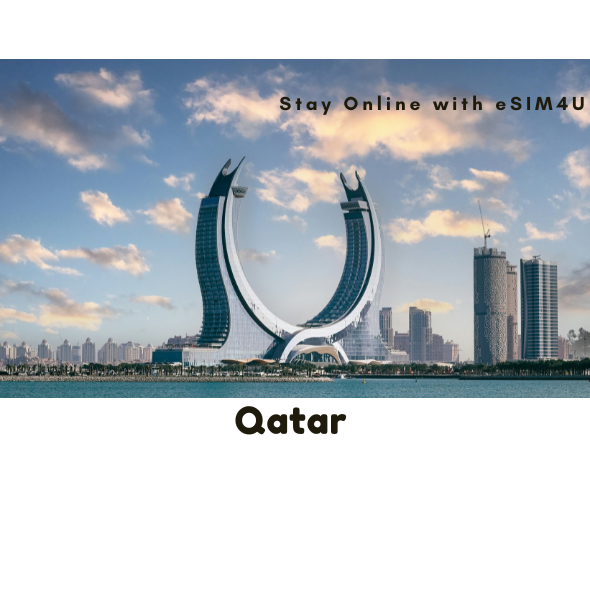
The Qatar Travel eSIM is your single, powerful connection across one of the Middle East's most dynamic and culturally rich destinations. This plan grants you seamless, uninterrupted access, whether you're marveling at the futuristic skyline of Doha's West Bay, exploring the labyrinth of sights and scents in the historic Souq Waqif, or embarking on a thrilling desert safari across the sweeping golden dunes. From the world-class museums and luxury shopping of the capital to the serene shores of the Inland Sea, your connectivity remains completely flawless.

This practical, data-only solution provides reliable, high-speed internet access throughout your Arabian adventure. Say goodbye to the complexity of hunting for local airport SIM cards and the shock of hidden roaming costs. Activation is instant and convenient: simply scan the prepaid eSIM's QR code and enjoy immediate, high-speed service, from ancient cultural landmarks to modern metropolises.

Choose a flexible data plan with no contracts or hidden fees to suit your specific journey. Your generous data allowance ensures you can effortlessly book local transport, navigate city streets, share stunning desert photography, and conduct video calls with friends and family. Travel with the ultimate freedom, knowing your unbeatable coverage keeps you connected to your world while you immerse yourself in the rich heritage and modern luxury of Qatar.

Stay Connected With Best Coverage
  • Data: Up to 20GB (No daily limit)
  • Speed: 5G/4G/LTE
  • Calls & Texts: Not included (Data-only)
  • When to install: It’s best to install and activate your eSIM just before your departure or upon arrival at your destination. ***Wi-Fi is required during installation.
  • Hotspot/Tethering: Yes
  • ID requirement: No
  • Delivery: Instant via email
  • Activation: Scan QR code from email. Your eSIM will be activated when you arrive in the supported country.
  • Validity: Once you arrive in the supported country and eSIM is activated, the validity period will begin upon arrival there.

All our eSIM needs to be activated within 180 days of purchase.

  • Speed: Fast 5G/4G/LTE
  • Network: We provide the most reliable and secure connections from our premium network providers.
  • Save time and money: Avoid hefty roaming fees and save time searching for local SIM cards.
  • Device Compatibility:: Unlocked eSIM compatible devices. For details on compatibility, please see the "eSIM compatible devices" page.
  • Installation: Easy and fast.
  • Calls & SMS: Not available, only through apps. (This is data-only eSIM).
  • Tech Support: Our friendly Aussie travel eSIM team is always here to assist you.
  • Qatar - eSIM network provided by Ooredoo (Breakout IP:UK )

For iOS devices

(Updating the APN is not normally required for iOS)

  • Name: [type anything here]
  • APN: plus
  • Username: [leave this section blank]
  • Password: [leave this section blank]

For Android devices

***MANUAL APN SETUP REQUIRED ***

  • Name: [type anything here]
  • APN: plus
  • Proxy: [leave this section blank]
  • Port: [leave this section blank]
  • User name: [leave this section blank]
  • Password: [leave this section blank]
Stay Connected with Discounted Prices
note_icon_note_EktVwh eSIMs are instantly delivered to your email!
View full details

Check if your device is compatible

e-sim-works-background_template--18299266957566__home_banner_kBVdYe

How To Install eSIM4u eSIM?

Here take iPhones as an example. The actual texts might differ depending on the iOS version and the device.

You must have an internet connection to install eSIM. Please ensure that there is available WiFi or mobile data before installation. ---> ⏩ Watch Video Here

① Add eSIM to devices that support eSIM.


② Go to Settings – Cellular data/Mobile data – Add eSIM Cellular Plan/Add eSIM


③ Scan the QR code. If the camera doesn’t work, enter SM-DP +Address and Activation Code manually.


④ We recommend that you disable this newly installed eSIM until you reach your destination.


⑤ Rename the newly installed eSIM (e.g., “Travel”) to identify it easily.


⑥ After arriving at the destination, please turn off primary SIM cards and TURN ON your newly installed eSIM along with its 「DATA ROAMING」 to access the internet.


⑦ If you do not have a connection, check your APN settings. These are usually set automatically, except Japan DOCOMO network. iOS: Japan – please set the APN as “vmobile.jp”. --->LEARN MORE

⚠️ For older versions of Android, you may need to enter manually in some cases.

--->LEARN MORE

float_img_left_template--18299266957566__money_back_tag_nVYKwh
float_img_right_template--18299266957566__money_back_tag_nVYKwh

100% Money Back Guarantee

If you cancel your trip or experience tech issues that we can’t fix; we’ll refund you 100%.