


Buy a travel eSIM for Australia: 2026 guide
A travel eSIM is a digital SIM card that lets you access mobile data in Australia without touching a physical SIM, offering instant activation and real cost savings over international roaming. If you’re visiting Australia and want reliable, affordable connectivity from the moment you land, buying a travel eSIM is the fastest and most hassle-free option available. Providers like Saily, Airalo, and Holafly all offer Australia-specific plans you can purchase online before you board your flight. Your phone needs to be eSIM compatible and carrier unlocked, and this guide covers everything from device checks to step-by-step activation so you’re connected without stress.
What do you need before you buy a travel eSIM for Australia?
Before you purchase anything, check two things: whether your phone supports eSIM, and whether it’s carrier unlocked. Both checks are required to avoid activation failure, and skipping either one is the most common reason travellers end up with a non-working eSIM on arrival.
Checking eSIM compatibility is straightforward. On iPhone, go to Settings > General > About and look for an EID number. On Android, go to Settings > About Phone > SIM Status. If an EID appears, your device supports eSIM. Popular compatible models include the iPhone 14, 15, and 16 series, Samsung Galaxy S21 and above, and Google Pixel 6 and above.
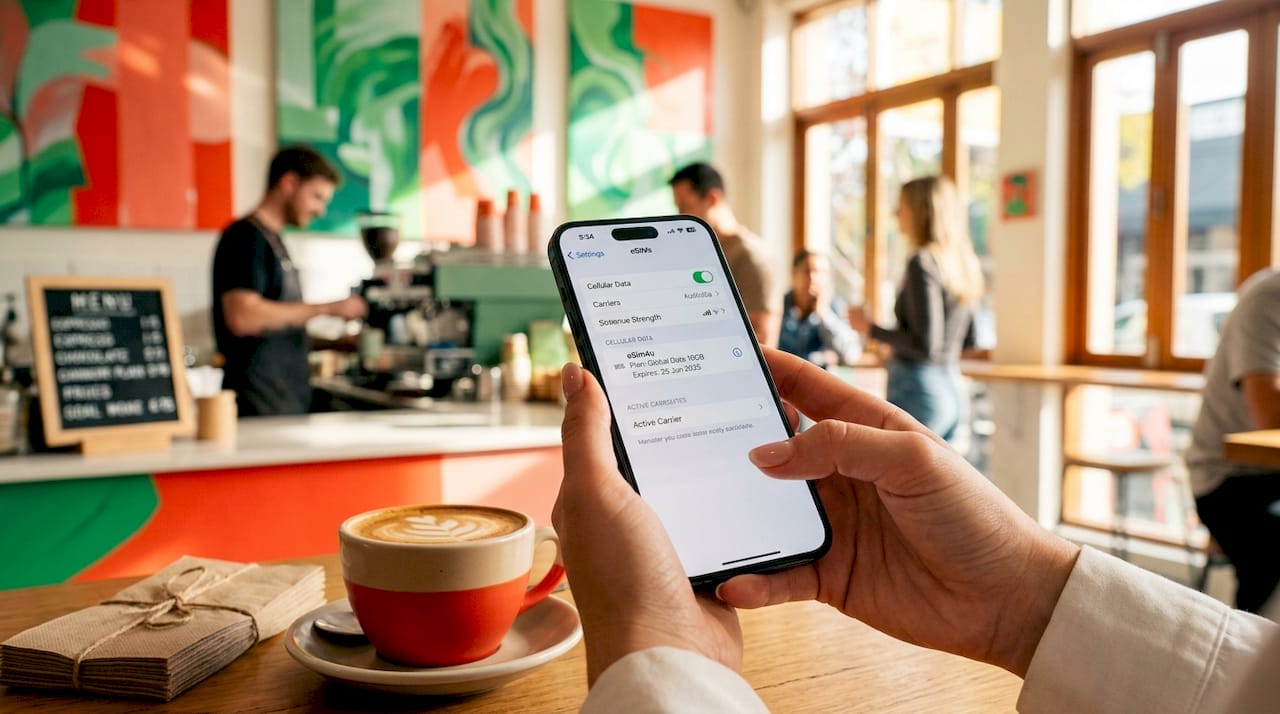
Carrier unlocking is the step most people miss. A phone bought on a contract with Telstra, Optus, or Vodafone in Australia may be locked to that carrier, which blocks third-party eSIM activation. Contact your carrier or check your settings to confirm your phone is unlocked before purchasing a plan.
A few other things worth knowing:
- Some newer phones support multiple eSIM profiles simultaneously, so you can keep your home SIM active for calls and texts while using your travel eSIM for data.
- Australian versions of some Samsung models use a physical SIM tray where international versions use eSIM. Check your specific model and region variant.
- Most travel eSIMs are data only. You’ll use apps like WhatsApp or FaceTime for calls rather than your phone’s native dialler.
Pro Tip: Before you travel, go to your phone’s cellular settings and confirm you can add a new data plan. If the option is greyed out, your phone may still be carrier locked.
Which Australian networks do travel eSIM providers use?
Australian travel eSIMs primarily operate across three mobile carriers: Telstra, Optus, and Vodafone. Each has distinct coverage strengths, and the network your eSIM connects to directly affects your experience on the ground.
| Network | Coverage strength | Best suited for |
|---|---|---|
| Telstra | Widest national coverage, strongest in rural and outback areas | Road trips, regional travel, Outback adventures |
| Optus | Strong in cities and regional centres | Urban stays, coastal travel |
| Vodafone | Smallest footprint, solid in major cities | Short city-based trips |

Telstra leads in rural coverage, which matters enormously if you’re driving the Great Ocean Road, visiting Uluru, or travelling through Queensland’s interior. Optus and Vodafone perform well in Sydney, Melbourne, Brisbane, and Perth, but signal drops off faster once you leave metro areas.
Many eSIM providers operate as MVNOs (mobile virtual network operators), meaning they lease capacity from one or more of these three carriers. Some providers dynamically switch between networks for better signal. Jetpac, for example, connects via Telstra infrastructure, which gives it an edge for travellers heading beyond the cities.
Matching your eSIM provider to your itinerary is one of the most practical decisions you can make. If you’re spending two weeks in Sydney and Melbourne, any of the three networks will serve you well. If you’re hiring a campervan and heading into regional New South Wales or Western Australia, prioritise a provider that uses Telstra.
How to buy, install, and activate your travel eSIM step by step
Buying a travel eSIM for Australia takes less than ten minutes. Here’s the full process from purchase to first connection.
-
Choose your provider and plan. Visit the website of Saily, Airalo, Holafly, Ubigi, or Esim4u and select an Australia plan. Decide between a fixed data allowance (e.g., 5GB, 10GB, 20GB) or an unlimited plan. Consider your trip length and how heavily you’ll use maps, streaming, and video calls.
-
Complete your purchase online. Pay via card or PayPal. You’ll receive a QR code by email or access it directly through the provider’s app. Many providers allow activation within a window ranging from 30 days to 180 days after purchase, so you can buy well in advance.
-
Install the eSIM on your device. For iPhone, go to Settings > Cellular > Add eSIM > Use QR Code, then scan the code. For Android, the path is Settings > Network & Internet > SIMs > Add eSIM. Esim4u provides dedicated iOS installation guidance and a separate Android setup guide if you need step-by-step support.
-
Label and configure your eSIM. Name it something clear like “Australia Data” so you can identify it easily. Set it as your default data line in your cellular settings.
-
Enable data roaming on the eSIM line. This step catches many travellers off guard. Even after installation, data won’t work unless roaming is enabled for the eSIM profile specifically.
-
Test connectivity on arrival. Open a browser or maps app as soon as you land. If data doesn’t connect, check that the correct SIM is set as the active data line and that roaming is on.
Pro Tip: Install your eSIM at home before you fly. Airport Wi-Fi is unreliable, and trying to scan a QR code in a busy terminal while jet-lagged is not the experience you want. Most plans only start counting data once you connect in Australia, so early installation costs you nothing.
Understanding how eSIM activation works in detail can save you a lot of frustration, especially if you’re switching between multiple profiles or travelling across several countries.
Troubleshooting common issues when activating your eSIM in Australia
Most eSIM problems come down to a small set of avoidable mistakes. Knowing what to check first saves you time and keeps you connected.
- Carrier-locked phone. Your phone may show eSIM support but still reject third-party profiles if it’s locked to a carrier. Contact your home carrier before you travel to request an unlock, which is usually free once your contract obligations are met.
- Wrong data line selected. Forgetting to switch mobile data to the eSIM line after installation is the most common cause of no-service issues. Go to Settings > Cellular > Cellular Data and confirm your travel eSIM is selected.
- Roaming not enabled. Even with the correct data line selected, data won’t flow unless roaming is turned on for that specific eSIM profile. Check this setting separately from your primary SIM.
- QR code scanned twice. Most eSIM QR codes are single-use. If you accidentally scan it twice or on the wrong device, the profile becomes invalid. Contact your provider’s support team immediately for a replacement code.
- APN settings missing. Some Android devices require manual APN configuration. Your provider’s confirmation email usually includes these details. If not, check their website’s support section.
- eSIM deleted accidentally. Deleting an eSIM profile from your phone is permanent. You cannot reinstall it. Always confirm before deleting any profile, and keep your provider’s support contact handy just in case.
If none of these fixes resolve your issue, contact your provider’s live chat support.
Key takeaways
Buying a travel eSIM for Australia is the fastest, most cost-effective way to get mobile data from the moment you land, provided your device is unlocked and eSIM compatible.
| Point | Details |
|---|---|
| Check compatibility first | Confirm your phone has an EID number and is carrier unlocked before purchasing any plan. |
| Match network to itinerary | Choose a Telstra-backed provider for regional travel; Optus or Vodafone work well for city stays. |
| Install before you fly | Set up your eSIM at home so you’re connected the moment you land in Australia. |
| Enable roaming on the eSIM line | Data won’t work after installation unless roaming is turned on for the travel eSIM profile specifically. |
| All plans are data only | Voice and SMS are excluded; use WhatsApp, FaceTime, or similar apps for calls during your trip. |
Why I think most travellers overthink the eSIM decision
After helping thousands of travellers get connected in Australia, the pattern I see most often is this: people spend hours comparing providers and plans, then forget to check whether their phone is actually unlocked. That single oversight causes more connectivity failures than any other factor.
My honest recommendation is to spend five minutes on the compatibility check first, then no more than fifteen minutes comparing plans. For most visitors spending a week or two in Sydney, Melbourne, or along the east coast, Airalo or Saily will serve you perfectly well. The differences in price per gigabyte between providers are often less than a cup of coffee.
Where the decision genuinely matters is for longer stays or regional travel. If you’re doing a road trip through the Northern Territory or spending time in rural Queensland, the network your eSIM uses is far more important than the price. A cheap plan on a weak network in outback Australia is worth nothing. A slightly pricier Telstra-backed plan keeps you connected when it counts.
The other thing I’d push back on is the idea that unlimited plans are always better value. For most travellers, a 10GB or 15GB fixed plan is more than enough for two weeks of maps, social media, and occasional streaming. Throttled unlimited plans sound appealing until you hit the daily cap and find yourself on 128kbps trying to load Google Maps in an unfamiliar city.
The eSIM market for Australia is maturing quickly. More providers are adding 5G support, multi-country plans, and top-up options mid-trip. The friction of buying and activating a travel eSIM is lower than it’s ever been, and it will only get easier from here.
— Peter
Get connected in Australia with Esim4u
Esim4u makes it straightforward to buy and activate your Australia travel eSIM online, with instant QR code delivery and support for multiple Australian networks. Whether you’re visiting for a week or staying for months, you’ll find plans suited to your data needs and itinerary. The store includes dedicated setup guides for both iPhone and Android, so installation takes minutes rather than hours. If you want coverage across Australia and New Zealand in one plan, the Australia and New Zealand eSIM option has you covered. Visit Esim4u to browse plans, check compatibility, and get your eSIM sorted before you fly.
FAQ
What phones are compatible with a travel eSIM for Australia?
iPhones from the XS onwards, Samsung Galaxy S21 and above, and Google Pixel 6 and above all support eSIM. Check for an EID number in your phone’s settings to confirm compatibility before purchasing.
Can I keep my home SIM active while using a travel eSIM in Australia?
Yes. Most modern smartphones support dual SIM via one physical SIM and one eSIM simultaneously. You can keep your home number active for calls and texts while using your travel eSIM for data.
Do travel eSIMs for Australia include calls and SMS?
Travel eSIM plans are data only across providers like Holafly, Saily, and Airalo. Use internet-based apps such as WhatsApp or FaceTime for voice calls during your trip.
When should I install my travel eSIM?
Install your eSIM at home before you fly. Activation windows vary by provider, ranging from 30 to 180 days after purchase, and most plans only begin counting data once you connect in Australia.
Which Australian network is best for regional travel?
Telstra provides the widest coverage in rural and outback areas, making it the best choice for road trips or travel outside major cities. Choose a provider that explicitly uses Telstra infrastructure for regional itineraries.
Related Blogs
Explore the World Without Roaming Worries



100% Money Back Guarantee
If you cancel your trip or experience tech issues that we can’t fix; we’ll refund you 100%.